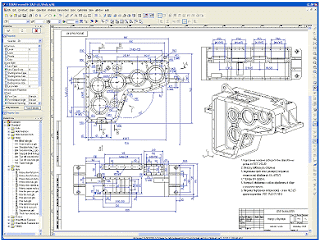
Hiển thị các bài đăng có nhãn design+software. Hiển thị tất cả bài đăng

Thứ Ba, 16 tháng 7, 2013

Geomagic Design 2014 Released on CADDIT.net with new Motion and FEA Options

Sydney Australia - Geomagic Design 2014 has been released on CADDIT Australia. One central aspect to this update is name change for all of the package levels as follows:

Geomagic Design Personal Edition is now Cubify Design
Geomagic Design Professional is now Geomagic Design ELEMENTS
Geomagic Design Expert is now Geomagic Design

This will take a little getting used to for some of us, so CADDIT continues to maintain the comparison chart on their website regarding the differences between these package levels. Also released with Geomagic Design 2014 is an extra, optional upgrade to Motion 2.0 called Alibre Dynamics and an FEA option called Simulate. The Dynamics package has been released at a very affordable cost for existing and new full Geomagic Design users under active subscription. Cubify and Design ELEMENTS users will have to upgrade to the top level Geomagic Design first before qualifying for the discounted Dynamics package.

Geomagic Design Dynamics - fantastic motion studies at low cost for Geomagic Design users on active subscription. Cubify and ELEMENT user will need to upgrade to Geomagic Design first.

Also announced was a new FEA (Finite Element Analysis) option called Simulate which extends the motion dynamics package with full 3D FEA in a unified interface for both motion simulation and finite element analysis studies. Study types include stress/strain, vibrational, thermal, etc. Use of powerful combined dynamics/FEA simulation allows for joint forces from the motion to be converted to distributed loads, inertial information is transferred into the FEA model and stress, and strain which can be re-calculated at every step of the simulation. Both packages include full comprehensive help and tutorials and can open ACIS solid models directly. Both packages are very user-friendly.


Geomagic Design 2014 also includes dozens of small fixes and enhancements in the base product of the software so any user under active subscription will benefit - but for the simulation software users will need to be using the latest version of Geomagic Design (not Cubify or ELEMENT) and pay the option fee(s). All prices for these options are listed in AUD on CADDIT.net HERE.
 
For more information about Geomagic Design 2014 or for a trial, visit us at: http://www.caddit.net/cad-cam-software/geomagic.php

Thứ Hai, 15 tháng 7, 2013

Bright Future for Geomagic Design Users at First APAC 3D Systems Geomagic Meeting

9 July 2013 - The first 3D Systems Geomagic annual APAC meeting was held in Bangkok, Thailand. A broad range of training and information seminars were also conducted with a peak total attendance of more than eighty from the entire Asia-Pacific region including China, Korea, India, Malaysia and Australia. Ben Decker from CADDIT Australia attended this meeting for all three days, and met and shared experience with industry professionals in scanning, reverse engineering and 3D printing. An important take away from day one is the key role that Geomagic Design (formerly Alibre) will continue to have in software development at 3D Systems. This was confirmed in the same week when 3D Systems released a new simulation/FEA add-on option for Geomagic Design Expert, with other enhancements coming soon.

All in attendance discuss future vision of Geomagic

A future vision was shared of a full 3D rapid development process, including 3D scanning, reverse engineering, design, documentation, prototyping, verification, manufacturing and testing - of which Geomagic Design will play a central role. Also discussed was integration between individual solutions of the Geomagic product family and a new Geomagic Designer bundle which includes Geomagic Freeform and Geomagic Design. Australia users who have interest in Geomagic Designer should contact CADDIT Australia or 3D Systems directly.

A rainy but comfortable Bangkok for the meeting.

Thứ Sáu, 17 tháng 5, 2013

Geomagic Design 2013 Released on CADDIT Australia

CADDIT Australia has released the latest version of Geomagic Design 2013 (formerly called Alibre, now owned by 3D Systems). Geomagic Design 2013 is the most significant release since 2009, featuring hundreds of enhancements, improvements and fixes.

The base price of Geomagic Design remains at a modest $220. Geomagic Design is Australia's de facto choice for low-cost 3D parametric, mechanical design software which offers features similar to AutoCAD Inventor, SolidWorks and Solid Edge at a fraction of the cost. All versions of Geomagic Design includes advanced STL file export for 3D printing and rapid prototyping.

Geomagic Design Professional continues to offer photo-realistic rendering, STEP import/export and full 2D detail drawing. Geomagic Design Expert adds comprehensive sheet metal, direct (non-parametric) modeling, variant design and motion simulation capabilities. Geomagic Design Expert also offers reading of SolidWorks sldprt and sldasm files, Solid Edge and AutoCAD Inventor files. GeoMagic Exchange is a lower cost option available specific for CAD translation.

A full 30-day free trial of Geomagic Design can be downloaded from CADDIT Australia at this link:
http://www.caddit.net/cad-cam-software/geomagic.php

Thứ Bảy, 5 tháng 3, 2011

iCADmac "CAD for Mac" Released on CADDIT

CAD on MAC OS/X (Version 10 or 'X' of the Apple operating System) is back. AutoCAD for Mac was (re)announced in August 2010. However, the cost of AutoCAD on Mac (several thousand dollars) makes this new option unviable for some small business looking for CAD software for Mac. As a low cost alternative to more expensive CAD on Mac systems, CADDIT will begin to offer the iCADMac product line from progeSOFT.

iCADMac "CAD for Mac" features include:

  • Native Mac OS/X CAD software - no Boot Camp, VMware Fusion or Parallels virtualization required.
  • Similar user interface to what some CAD for Mac users are already accustomed.
  • Read and Write AutoCAD .dwg CAD files, edit and print.
  • Convert PDF in to CAD / Print to PDF out from CAD
  • Raster image modification tools for use in CAD drawings
  • 3D solid modeling using the same ACIS libraries as licensed by AutoCAD
  • Table and cell support used for bills of materials, component lists and more.
  • Advanced interface for gradient hatching, entity property bar etc
  • ALE symbol library including ready 15.000 Blocks for use in your drawing
  • AutoLISP and ODA DRX C++ programming support
  • Permanent perpetual license
  • 12 Months free upgrade maintenance with new license with option to renew

CADDIT will be offering an AUD$175 discount to RRP pricing until 22 April. Architects, engineers, technicians and other CAD users looking for "CAD for Mac" will also enjoy free upgrades to additional functionality released in the iCADMac product for 12 months from the date of purchase. iCADmac can be downloaded for a free for a 30 day trial HERE. Questions about iCADMac in Australia and New Zealand should be directed to CADDIT here.

Note for Windows users - those looking for a reliable, low-cost 2D / 3D design solution on Microsoft Windows should download progeCAD for Windows HERE.

Thứ Hai, 22 tháng 11, 2010

Alibre 2011 Update with New MoI Surfacing Software

Alibre Design 2011 was first released in late 2010 offering a number of important new features:
  • Alibre's first native 64-bit version
  • New "in-place editing" UI framework
  • New MIRROR and SCALE modelling commands
  • On-the-fly library creation
  • Direct 3D Solid->SheetMetal conversion

MoI:
In addition to these new features, Alibre Design Expert user licenses sold after 2 December 2010 are now entitled to get MoI - Moment of Inspiration - freeform surfacing software. At this point the best link between MoI and Alibre itself seems to be using STEP data, although ACIS SAT and IGES are also offered by MoI (the IGES interface seemed to loose the most data in our lab test, but we were expecting that). One major advantage MoI offers is a "point-and-click" workflow that doesn't require use of special ALT-key combinations, which makes it perhaps more practical for use on tablet PCs.


KeyShot for Alibre:
"KeyShot for Alibre - Basic" is new realtime photorealistic rendering software offered with
Alibre Design Professional and Alibre Design Expert. The updated capabilities of KeyShot for Alibre (formerly "KeyShot for CAD") are outlined in this brochure, and summarized in the chart provided below:

KeyShot for Alibre Edition Basic (shipped w/ Pro & Expert)KeyShot for Alibre Edition (optional)
Max Real-time Resolution 1024x768 pixels 1920x1080 pixels
Max Non Real-time Resolution N/A 2500x1600 pixels
Render with alpha channel No Yes
Extra Control over Render settings No Yes

It is worth noting that, although Alibre Design is now available as a native AMD64 bit application (Windows 7 compatible) many of the Alibre add-ons such as Alibre CAM and Alibre Motion are not yet. The 32-bit version Alibre add-ons will not work with Alibre 64-bit software and require Alibre 32-bit to install and run. However there seems little problem in running Alibre 32-bit version on a 64-bit PC now. Since the first major release of Alibre's latest version of their easy-to-use 3D CAD system, a few minor bugfix updates have also been made available and the latest version of Alibre can be downloaded HERE.

Thứ Hai, 27 tháng 9, 2010

progeCAD Free to Schools

progeCAD is a powerful but low-cost architectural or mechanical design package, somewhat similar to AutoCAD from Autodesk. progeCAD features include Autodesk's DWG format read/write for all versions of AutoCAD from 2010 and as far back as R11. Most of the basic commands are the same, workflow and interface all follow a similar logic. For years CADDIT Australia has been offering progeCAD Professional annual licenses to schools free of charge. One school in the New South Wales TAFE system wrote of progeCAD:

I personally consider that your company’s provision of this program for academic purposes, free of charge is the best thing that has happened to the CAD industry for a long time... I teach across a number of campuses in the Hunter and am trying to convince other sections to switch over from AutoCAD to ProgeCAD for teaching purposes. The benefits of allowing students to download the program and develop their skills at home at no cost cannot be underestimated, apart from the ethical aspect of positively discouraging the use of pirated AutoCAD software.

CSTC in Queensland Australia writes:


It is an exceptional program in the standards it allows students to apply to drawing - variety of linetypes, lineweights, hatchs patterns etc. We are enjoying using it, our trainees and apprentices appear to like the feel of it. Great program.

A few of CADDIT's academic program subscribers are from outside Australia. One school from overseas writes:

Since we only have a single, one-semester course that uses CAD, this offer CADDIT makes to license ProgeCAD to schools at no charge is a wonderful effort supporting education. Our students are able to gain experience with professional software and several have applied these skills in internships and subsequent educational experiences in vocational/technical programs and college. Without ProgeCAD's support, we would be forced to use some consumer-level software, as it would be extremely difficult to justify spending thousands of dollars to license professional CAD software for a lab that will be used with a single class of students.

Another student used the opportunity to submit a new concept for a local highway intersection to local planning authorities..
progeCAD can be downloaded free of cost HERE. For more information about how progeCAD can be used in your school, visit http://www.caddit.net/progecad/educational.php

Thứ Năm, 19 tháng 8, 2010

Alibre Design 2011 - New Features

Alibre Design is one of Australia's most affordable mid-range 3d mechanical CAD solutions. Within the next several weeks Alibre 2011 is expected for release. This major release both adds new features as well as improving many existing ones. A crucial focus for Alibre Design 2011 has been improvement in efficiency and ease of use, including fully customizable keymaps and in-place editing. Developers may also be interested to know that much of Alibre is now written in the Microsoft C# programming language, which allows developers to add new features even faster than before. Here are a few of the many feature enhancements of the new Alibre 2011 version release:

Alibre Design 2011 will offer Alibre's first native 64-bit version, which basically means you can make larger, more complex assemblies and have more files open simultaneously, without the restrictions of older 32-bit operating systems and memory access. With the offering of a
64 bit version comes a tremendous increase in both what can be created in Alibre Design and the types of workflows people can use. Both Alibre Design Professional and Expert versions will be offered as 64-bit editions.

Direct 3D Solid->SheetMetal conversion will allow CAD designers to take ordinary 3d solid models or imported 3D files (like STEP or Parasolid) and automatically convert these into sheet metal parts that can be flattened and machined in Alibre CAM. Of course, the resulting sheet metal parts are fully associative to their original counterparts, so that if you change the original model, the associated sheet metal version will update automatically. The new solid to sheet metal conversion tool will only be offered with Alibre Design Expert edition.


Alibre Design 2011 will add new MIRROR and SCALE modelling commands. Alibre 2011 will offer a new "Double Intersect" sketch command that allows you to join two figures at their theoretical intersection. The tool has several modes, all completely transparent to you, which adapts to the types of figures and orientations that a designer encounters. Alibre 2011 will also make it possible to create libraries of your most commonly used hole types on the fly. Simply fill out the form, type a name, and press Create. The hole's parameters can now be recalled instantly via the Presets dropdown. Alibre 2011 will also offer a new multi-plane creation tool, which can be useful when drawing multiple solid loft profiles, etc.

Alibre will begin rolling out their new "in-place editing" UI framework with Alibre Design 2011. In-place editing takes floating toolbars and context menus much further by opening relevant toolbars and icons just by selecting entities. Any changes are immediately displayed in real time, and to close in-place editing toolbars, we simply move the mouse away from the entity we initially selected. Alibre Design 2011 will offer this framework first in its Detailed Drawing Workspace, but is eventually to be deployed in various forms throughout the product.

Until release, CADDIT will begin offering free upgrades to all new Alibre Design Expert users a free upgrade to Alibre Design Expert 2011 upon release - but while still at current sale prices for V12.1. Alibre is suitable for a wide variety of mechanical design projects, including machine design, fixture design, vehicle and product development, sheet metal products and more. A free full-version trial of the current
Alibre Design software in Australia can be downloaded here. For further questions about Alibre products, CADDIT support can be contacted HERE.

Thứ Năm, 12 tháng 8, 2010

CAD Software Update for progeCAD 2010 Users

CADDIT.net has released a new update of progeCAD 2010 10.0.10.8 for immediate download on their website. progeCAD is a low-cost compliment for AutoCAD from Autodesk, offering similar commands and editing AutoCAD DWG files but costing thousands less to buy. The progeCAD 10.0.10.8 update is free to all licensed progeCAD 2010 users and offers several key fixes that our users have requested, including these listed below:

For End Users:
Gradient hatch: improved visualization in printing
Improved performance when layouts have hidden or shaded viewports
ICAD.LSP continues loading even when reading ICAD.SDS fails
Fixed active layout in status bar opening a drawing on paper space
Last path used to open drawings is saved correctly
Fixed save of Dynamic blocks of DWG 2010 version
Fixed save of drawings containing Multileader and improved plot settings extraction
Fixed change of active DIMSTYLE in dialog
Changed reopen of property palette after print, to avoid conflict between print dialog and property palette
Fixed isolated crashes caused by certain entity displays
Fixed isolated crashes on Trim/Extend commands
Fixed problem of command typing with Windows 7 (Chinese Version)

For Developers:
Fixed 'send of message' to VBI workspaces

New Features:
Added Beta version of LispDefender (Lisp protection)
Added Proxy capability for both updater and registration


AutoCAD LT users are especially invited to try this latest release of progeCAD 2010. progeCAD offers several important features that AutoCAD LT does not, including 3D modelling and rendering, full programmability (C++, VBA, AutoLISP), multiple profile support, Network Licensing, DWG 14 export, Express Tools, Image Tools, advanced PDF printing and more. A free no-obligation trial of progeCAD Professional can be downloaded HERE.

Chủ Nhật, 3 tháng 1, 2010

Four Myths about PTC Pro/ENGINEER 3D CAD

1. Pro/ENGINEER seems harder to use
All
CAD software has some learning curve, and requires some training to use correctly. The more functionality software offers, the more that there is to learn about it (claims to the contrary usually have less to to with engineering design and more to do with clever marketing). Jeffrey Rowe, Editor at MCADCafe writes regarding the latest Pro/ENGINEER Wildfire release:

"Pro/ENGINEER Wildfire 5.0, is a refreshing continuation of 4.0 Instead of again just piling on an additional zillion new features and capabilities that relatively few designers use, PTC (like some of its competitors) chose to improve Pro/ENGINEER Wildfire 5.0 in other ways that matter to most customers, namely, software stability, better consistency across modeling functions, and promotion of more efficient work flows."

Three examples of this expressed in business are
PowerSki (USA), Hayter (UK), Haald Engineering (Australia) Pro/ENGINEER Wildfire 5 further updated its 2D detail drawing interface with a familiar "command ribbon", similar to many other Windows applications. Pro/ENGINEER also holds a tradition of delivering more control over the final design than competing systems. And, unlike many bloated CAD systems today, much of Pro/ENGINEER is still leanly coded using C language.

2. Pro/ENGINEER doesn't support surface modelling
False. Simply put, Pro/ENGINEER has supported
parametric surface modelling for years, with no additional license required to create parametric surface models. PTC tightly integrates surface machining with its manufacturing software.


3. I heard Pro/ENGINEER is really expensive
"For those still in the 2D realm and looking to switch, one thing worth considering is that Pro/Engineer is often perceived as an expensive option, particularly when you consider the price erosion in the mainstream market. This is not really the case anymore and the starting costs are comparable to its competition" - Al Dean, MCADonline.
In Australia, Pro Engineer is being offered at prices lower that its mainstream market competitors, CATIA and Unigraphics NX, perhaps Autodesk. In fact, a recent study in the Australian market found the total cost of ownership for Pro/Engineer to be lower than many mid-range products including Autodesk Inventor and SolidWorks.


4. Pro/ENGINEER can't collaborate
Nothing could be further from the truth. Pro/ENGINEER Wildfire was designed from the start to make use of web technology. Pro/ENGINEER was the first CAD solution to be enabled for social product development. Wildfire offers file import/export including both ACIS & Parasolid, as well as Autodesk Inventor import and more. Windchill, ProductLink, ProjectLink and PTC ProductPoint PDM for Microsoft Office Sharepoint server are all examples of Pro/ENGINEER design team support.
As of 2010, CADDIT will be joining PTC a Pro/ENGINEER Reseller in Australia. For more information, we can be contacted per phone, fax, email, etc as shown HERE.

Thứ Ba, 8 tháng 12, 2009

Alibre 3D CAD Software "84% Off" Sale from CADDIT Australia

Alibre Design Australia PromoAlibre has granted authorization to CADDIT Australia to offer the latest version of Alibre Design version 12 with at least AUD$1200 saving (84%) for these last few weeks of 2009. Why are we posting this to our blog? 1.This is not an Alibre 11 sale. This sale applies to the newly released Alibre Design version 12, including the features discussed earlier on our blog HERE. 2.It's a near give-away. Even if a company already uses another 3D CAD/CAM system, Alibre Design easily supplements as a stand-alone sub-assembly designer, detail drawing workstation or even just a STEP or DWG viewer.

Pricing for Alibre Design from CADDIT Australia until 12AM 1 January 2010 EST:
Alibre Design Standard: 239.84+GST
Alibre Design Standard: 859.00+GST
Alibre Design Standard: 1199.00+GST

A full version of Alibre Design can be downloaded HERE. If the user registers our download version using a valid address in Australia, you can buy Alibre software online HERE at this sale price until 1 January 2010 12 AM EST.

There are also some discounts offered on Alibre maintenance and upgrades HERE.

Thứ Tư, 26 tháng 8, 2009

Preview of Alibre Design 12 Release, New Features

Only days remain before the public release of Alibre Design 12 as of time of this article. Alibre 12 definitely continues the standing tradition of delivering powerful, easy-to-use features at low cost. Here is a list of some of them, grouped by their work space:

New commands and tools in Alibre Design:
Alibre Design will offer a 3D-text feature tool allowing text to be added as a parametric part feature. Individual features will support colour change for better identification, and the user will also be permitted to set the default 3D new part colour. Edit commands will include multiple clipboard paste in "rubber stamp" mode. Toolbars will be more customizable, and additional box select modes will speed up editing. Editable 3D section veiws, colour schemes and light sources are also supported now.


The Alibre Sketcher will display missing constraints as degree of freedom callouts (with configurable colourisation). It will also offer optional real-time dimensioning and placement while geometry is drawn, rather than requiring this be completed as an additional design step. This option saves users considerable time in constraint specification. Alibre Sketch will also offer quick bi-directional conversion between model sketch figures and reference geometry. Constraint and snap options for drawing have been added, as well as a new axis mirror option. 2D drawing space will support a new freeform table creation for relevant model data fields.

Alibre version 12 files will offer a convenient thumbnail view from both Windows Explorer and Alibre Vault PDM, which makes file selection easier.


Assembly:
The assembly space move and rotate commands have been merged into a single dialogue for faster model placement by the user. Assembly part arrays / patterns now offer placement preview. View performance for large assemblies has been greatly improved.


Alibre Sheet Metal Design:
Contour and lofted flange support is added. Now sheet metal designs can include tapered corners or profile flange with variable radius along its length. These "lofted flanges" are nicely flattened in Alibre (along with the rest of the part) for the initial pattern stamp or cut-out.


For more information about Alibre 12 improvements, feel free to contact
CADDIT in Australia HERE. There is also a downloadable PDF version of this list available HERE.

Thứ Hai, 27 tháng 7, 2009

"Foreign DWG File" Scare Tactic from Autodesk?

AutoCAD 2010 users might see this "Trusted DWG" message box when opening DWG file created in progeCAD:

See it? Looking scary ..almost like an anti-virus warning? But read closer: "This file was saved by an application that was not developed or licensed by Autodesk." Well, duh... We knew that already. So why the big warning? Have a wild guess, then read here.

Now our concern changes from what was "bad file warning" to "how do I stop this idiot box from opening every time I open a file from progeCAD?" The answer in AutoCAD 2010 is simple: either click the little check box at the bottom which says "Always open DWG files regardless of origin" or disable "Open - Foreign DWG file" in the System "Hidden Message Settings" - it amounts to the same thing.

progeCAD is a low-cost compliment for AutoCAD users to reliably create, edit and print AutoCAD files without the high cost of AutoCAD software. A free 30 trial of progeCAD may be downloaded HERE.

Thứ Sáu, 24 tháng 7, 2009

Free Fonts for CAD and Graphic Design

Wikipedia defines font (also fount) as "traditionally defined as a complete character set of a single size and style of a particular typeface". Good use of fonts can help accomplish goals like making ideas stand out tastefully, making content clear and easy to read or translating information in another language. There are three major font categories: bitmap, outline and stroked. TrueType fonts (originally developed by Apple) and Postscript Type 1 (developed earlier by Adobe) are examples of bézier vector outline type fonts.

Scalable vector outline and stroked fonts usually offer the best results in modern design. During the mid 90s fonts cost about $40 for a single face, but needed to be purchased in packages. Today there are many sources where usable fonts can be downloaded for free. Here is a list of some links for these...

Showfont.net is a site written in frames offering free TrueType fonts and previews, organized alphabetically and downloaded free after verifying the captcha image. Handy for some unusual themes and logos.

http://www.betterfonts.com/ offers many of the same fonts, presented differently with no captcha check. http://www.creamundo.com/en/ is similar but also offers web pages in Spanish.
http://www.searchfreefonts.com/ has a large collection including many varieties of standard typefaces like Swiss 721 and Arial.

Specific to CAD, there are several sites for downloading AutoCAD SHX fonts:
These are just a few of the resources available, we are sure there is more. Feel free to add you favorite site to the list in the comments below.

Chủ Nhật, 5 tháng 4, 2009

Review Alibre Translate 3D for CATIA Pro/E SolidWorks..

March 2009 saw a lot happen with our Alibre 3D CAD software line. It was interesting to watch a little stampede develop during the last couple days of March because of a sale we had going! But that same month we were given Alibre Design 11.2 with several enhancements. Significantly, these included the release of AlibreTranslate, a new product Alibre launched tucked into Alibre Premium version for free in March. There are some cool features offered by the new AlibreTranslate.

AlibreTranslate imports the following 3D CAD formats directly:

  • Dassault SolidWorks .sldprd 3D model files and .sldprt assembly files
  • Dassault CATIA V5 .CATPart model files and .CATProduct assemblies
  • EDS/UGS/Siemens Solid Edge 3D .par parts and .asm assemblies
  • Autodesk Inventor .ipt parts and .iam 3D assemblies
  • PTC Pro Engineer & Wildfire .prt models and .asm assemblies, also .xpr & .xas
  • Parasolid: v18 (*.x_t, *.x_b, *.xmt_txt, *.xmt_bin)

AlibreTranslate also offers a range of automated model check, stitching and healing functions with the software. This assures closed manifold 3D objects which can be edited directly in Alibre as solid models. Units conversion between English Imperial and Metric are also included. Alibre 3D CAD already supports Rhino 3DM, AP 214 STEP, ISO IGES, Spatial (Dassault) ACIS SAT for translation to progeCAD, AutoCAD, TurboCAD as well as native AutoCAD DWG file support. Enabled with the optional AlibreTranslate license, a CAD designer can import almost any mainstream CAD model and edit it.

AlibreTranslate also exports to write directly to:

  • SolidWorks 3D model file .sldprt format
  • Parasolid: v18 (*.x_t, *.x_b, *.xmt_txt, *.xmt_bin)
AlibreTranslate uses a fast intermediate STEP conversion to import the final solid volumes from the various 3D CAD formats, and the included adjustable healing algorithms help assure design integrity - as shown in this perfectly imported and beautifully rendered Pro Engineer model assembly below:


Readers may download Alibre Design software (which includes AlibreTranslate) directly from CADDIT and run for 30 days in full version mode before choosing either to buy or continuing on with a free Xpress license. Support for Alibre in Australia is offered on our new Alibre forum page.

Thứ Hai, 30 tháng 3, 2009

VariCAD 2009 CAD for Linux and Windows Includes Parametrics

VariCAD and CADDIT released the first edition of their 2009 Parametric 3D Industrial Design CAD Software for Windows and Linux. VariCAD is practical CAD for mechanical design, structural steel, industrial layout, fit-out concept, sheet metal assembly, machine equipment and jig or check fixture model and detailing. VariCAD 2009 includes several important enhancements, including:
  • support for parameters
  • support for geometric constraints
  • enhanced possibilities for insertion and transformation of solids
  • new possibilities for editing shells
  • improved work with true type fonts in 2D
  • improved STEP file compatibility
  • improved DWG file compatibility and more
VariCAD 2009 does not use a full length feature tree as many CAD users may be accustomed. Rather, VariCAD 2009 introduces a unique "parameter table" approach to listing the values associated with model geometry. Users can choose to create specific design parameters for each feature or not. Model features without table parameters can still be modified directly in most cases using direct feature dimensioning.


The documentation includes several new Adobe flash video demonstration tutorials for learning the VariCAD Parametric system. Linux 3D CAD users should especially appreciate these new features on a native VariCAD Linux system. Debian/Ubuntu .deb and RH .rpm distributions will be available for download. For Microsoft Windows VariCAD can be downloaded free for 30 days HERE.

Thứ Ba, 24 tháng 2, 2009

New Alibre V11 Video Overview

This new nine-minute video gives users a real good overview of basic 3D parameteric CAD design using Alibre. Last month Alibre partnered with CADDIT.net for distribution of their complete CAD CAM Design software series in Australia. For years Alibre CAD has been the budget choice for low-cost but easy to use parametric 3D CAD design software. Enjoy the video:

This video will also appear in our CAD CAM news feed. I should remind our Australian readers that CADDIT is still offering two Alibre registrations for the price of one. This special Alibre promotion lasts until Saturday the 28 ... CLICK HERE for more information...

Thứ Sáu, 20 tháng 2, 2009

Alibre Design 11.2: New Features Come in March!

Alibre Design is a global standard for affordable 3D CAD design, and more recently CAD CAM CNC manufacturing. March will see the newest release of this powerful design tool made available in Australia and around the world. Other new features being added in Alibre 11.2 will include:

Product (Alibre Design Interface):

  • New global option in GUI (under Home window->Tools/Options) to keep all workspaces maximized
  • New global option in GUI (under Home window->Tools/Options) to enable/disable prompt for naming new workspace
  • Persist workspace browser position and size on file save to restore them on file open
  • Make default size of new workspace browsers to be 80% of display size
  • Persist explorer visibility and width and restore on open
  • Increase the default size of the Design Explorer
  • Ability to edit all vault metadata from inside the File->Properties dialog (General tab)

Addon (Framework):

  • Framework to let addon insert custom file filter in our File->Export dialog and accompanying API to allow such addon to export workspace to desired file format
  • New AlibreTranslate addon built around Datakit's translation library to import/export CAD formats such as SW, ProE, Parasolid, Catia etc. Merged SolidWorksReader add-on with AlibreTranslate
  • Enable showing 'Import Options' dialog while importing files via AlibreTranslate
  • Enable AlibreTranslate to accept SW file names containing Unicode (Japanese, Chinese etc) characters

AlibreTranslate is new software that will be made available as part of the Alibre product family very soon, as well. Alibre was introduced as new mid-range CAD CAM software by CADDIT Australia two weeks ago. Alibre can be downloaded HERE. More details are to follow in this CAD CAM Blog...

Thứ Hai, 16 tháng 2, 2009

T-FLEX Design Quick-Start Tutorial PDF E-Book

A few readers didn't know about the handy T-FLEX 11 beginner's design guide normally found HERE on the hard disk after the T-FLEX 11 CAD installation. So for easy access and to benefit the curious, we are posting the document online again for everyone to have a look. There are some really helpful tips for beginners here so you might want to bookmark this page. Click on one of the pages to open the entire publication online in a new window. To download the entire PDF file version (without the embedded reader) click HERE.


T-FLEX CAD offers product design engineering PLM solutions similar to Pro/E, to some degree Unigraphics or even CATIA, but a fraction of the installation cost. Options include full multi-axis CNC milling & lathe cutting, FEA and kinematic simulation. T-FLEX PLM is used extensively by large companies like GEA Westfalia Separator and Festo. Read more about T-FLEX PLM here.

January 2010 NOTE: CADDIT has now published a quick Web Tutorial Overview for T-FLEX CAD HERE.

Thứ Ba, 3 tháng 2, 2009

Video Overview of T-FLEX CAD Parametric Feature Tree

T-FLEX CAD CAM is a low cost PLM suite of mechanical design software which allows users to quickly create finished products and large moving assemblies with complex shapes and surfaces. A standard feature of parametric 3D CAD software is the feature tree which allows you to "browse" and change selected features from any point in the design history of a 3D model. The following short video offers an overview of the T-FLEX CAD 3D Parametric Feature Tree panel:


T-FLEX CAD is high-end PLM software like Pro Engineer, Unigraphics and CATIA but priced at a fraction of the cost. Although inexpensive upgrade options are available, every T-FLEX license is permanent and does not require anula subscription fees to continue working. CAD Designers are encouraged to download and try T-FLEX CAD CAM for themselves free for thirty days from CADDIT.net.

T-FLEX PLM Design Solutions

Thứ Hai, 19 tháng 1, 2009

New progeCAD Professional 2009 Video Tour

progeCAD Professional 2009 offers a powerful new CAD interface - similar icons, commands and interface. Raster image editing, raster-to-vector software included. DWF, SVG, O2C and Google Earth KML export, IntelliCAD AutoLISP, VBA & DIESEL, ACIS 3D Solids modelling, temporary point snap (oSnap), layers, blocks. Hatch and xref editing. 3D shading and rendering options. approx. 11000+ CAD symbols library. progeCAD Professional can be downloaded for a thirty day trial HERE or register your full license online HERE.